VSCode快速打出console.log
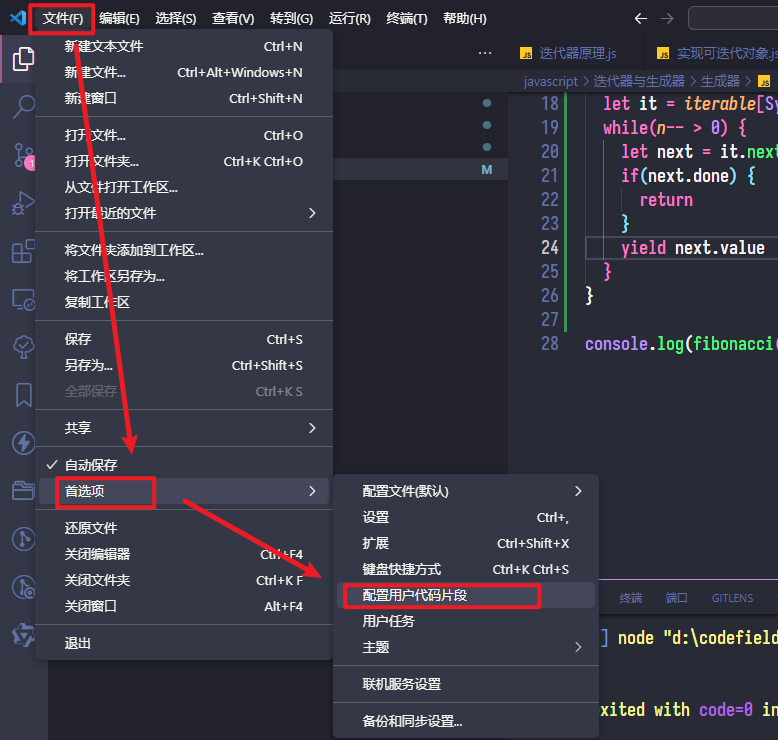
如图打开vscode的配置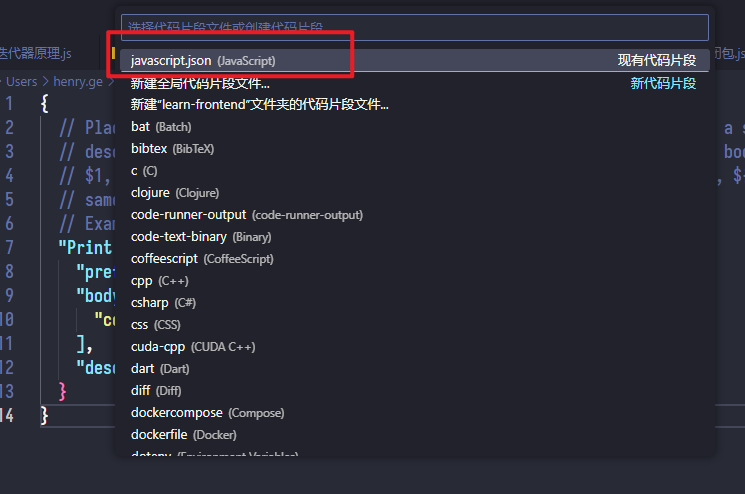
这部分如果注释取消注释并在body中设置console的格式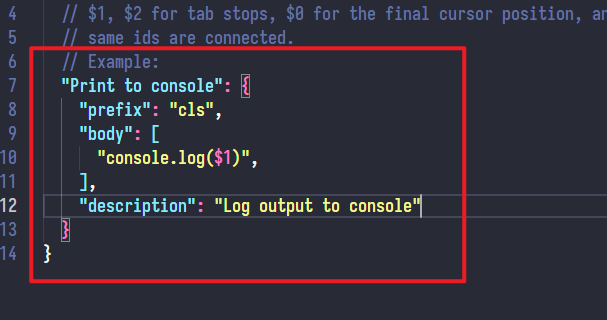
我的用户代码片段的配置
json
{
  // Place your snippets for javascript here. Each snippet is defined under a snippet name and has a prefix, body and
  // description. The prefix is what is used to trigger the snippet and the body will be expanded and inserted. Possible variables are:
  // $1, $2 for tab stops, $0 for the final cursor position, and ${1:label}, ${2:another} for placeholders. Placeholders with the
  // same ids are connected.
  // Example:
  "Print to console": {
    "prefix": "csl",
    "body": [
      "console.log($1)",
    ],
    "description": "Log output to console"
  },
  "Print to error console": {
    "prefix": "cse",
    "body": [
      "console.error($1)",
    ],
    "description": "Log error output to console"
  }
}
2024/07/21